Sticky vs rotating proxies: how sessions work and how to set them at Nyxon
Rotating gives you a new IP per request; sticky keeps one for as long as you need it. Both come from the same credentials at Nyxon. Here is when to use each, the exact username syntax, and the traps.
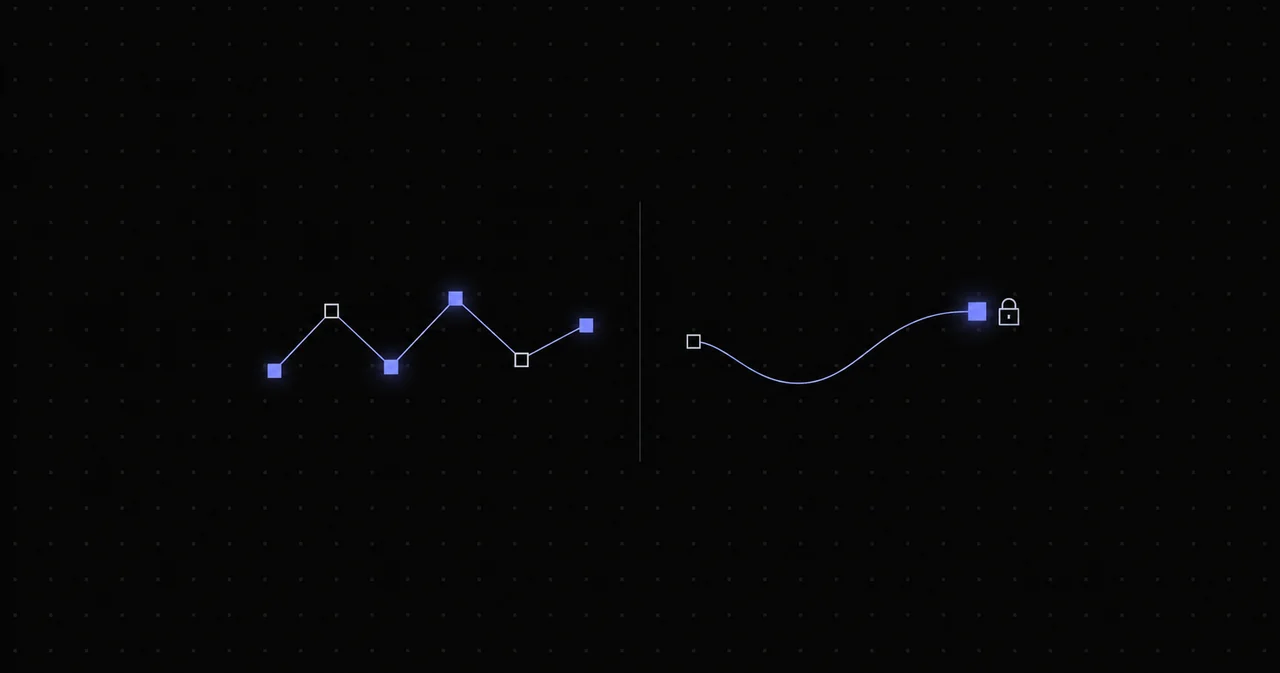
The same Nyxon plan can hand you a fresh IP on every request or hold one exit for the length of a login session. Nothing changes on your side except the username. Getting this right is the difference between a scraper that runs all night and an account that gets locked after three page views.
Rotating: a new exit per request
With a plain username the gateway picks a new exit for every connection:
USERNAME-country-us:[email protected]:8080Request one leaves through Denver, request two through Miami, request three through Seattle. No single IP builds up enough history on the target to trip a rate limit, and a blocked exit costs you exactly one request.
Use rotating for: bulk reads of public pages, search results, product listings, price checks, availability monitoring, anything where each request stands alone and you are not logged in.
Do not use rotating for: anything with a cookie that matters. Logins, carts, multi-step forms, checkout flows and API sessions all break or get flagged when the IP changes underneath them.
Sticky: the same exit for a session
Add a session id and the gateway routes every request carrying that id through the same exit:
USERNAME-country-us-session-a1b2c3d4:[email protected]:8080The id is any string you choose. Same id, same exit. Change the id, get a different exit. Run twenty workers with twenty different ids and each holds its own IP.
By default a session lasts as long as the pool allows, up to 30 minutes on residential. To set a shorter hold, add -time- followed by seconds:
USERNAME-country-us-session-a1b2c3d4-time-600:[email protected]:8080That holds the exit for ten minutes. Mobile sessions can be held for up to 24 hours. For sessions that need to last days or weeks, a residential exit is the wrong tool; that is what dedicated ISP IPs are for.
Use sticky for: logins, account management, shopping carts, checkout, paginated flows that use server-side state, anything where a human would keep one connection open.
Targeting combines with both
Country, state and city tokens work identically in rotating and sticky mode. The full form is:
USERNAME-country-us-state-tx-city-austin-session-a1b2c3d4-time-1800State and city are available on the premium residential pool; the budget pool targets by country. If the exact city is not available at that moment, the gateway falls back to the country, so verify the exit with the proxy tester when precision matters.
What happens when a sticky exit dies
Residential exits are real home connections. Occasionally one goes offline mid-session. When that happens the gateway assigns a new exit to your session id, so your requests keep flowing, but the IP changes. For most workloads that is the right behaviour. For a logged-in account it can look like a session hop.
Two ways to handle it: keep sticky sessions short and re-login rather than trying to hold one IP for hours, or use ISP or mobile pools where the exit is a server or a carrier gateway and does not go offline when someone unplugs a router.
Common traps
- One session id across parallel workers. The target sees one IP making ten interleaved page views. Give each worker its own id.
- Reusing a session id after a ban. If a target blocked the exit, a new request with the same id goes back to the same blocked exit until the session expires. Change the id.
- Rotating in a loop that expects state. If your code stores cookies between requests, it needs a sticky session. If it does not, rotate.
- Forgetting the time token expires the session, not the exit. After
-time-seconds you get a new exit on the next request with the same id. Plan re-logins around it. - Rotation with the same cookie jar. Rotating the IP while sending the same cookies is the worst of both worlds: the site sees one user teleporting. Clear cookies per request when rotating.
A pattern that works
For a scraper that needs to log in and then read many pages:
- Generate one session id per worker at startup.
- Log in through the sticky session and keep the cookie jar with that worker.
- Read pages through the same session at a human pace.
- Re-login every 25 minutes on residential (before the 30-minute cap), with a fresh id.
- If any request returns a block, retire that worker's id, start a new session, log in again.
For a scraper that reads public pages only:
- Plain username, no session token.
- New cookie jar per request, or no cookies at all.
- As much concurrency as the target tolerates; the gateway spreads it across exits.
Both patterns run on the same plan and the same credentials. Copy the string from the Generate page, which builds the username for you from the country, session and duration you pick, and paste the sticky variant into any HTTP client.