Residential, mobile, ISP, datacenter: the four proxy types explained (with 2026 prices)
The four proxy types differ in where the IP comes from, how sites treat it, how long it stays yours and what it costs. Here is the honest comparison, with the trade-offs nobody puts on a pricing page.
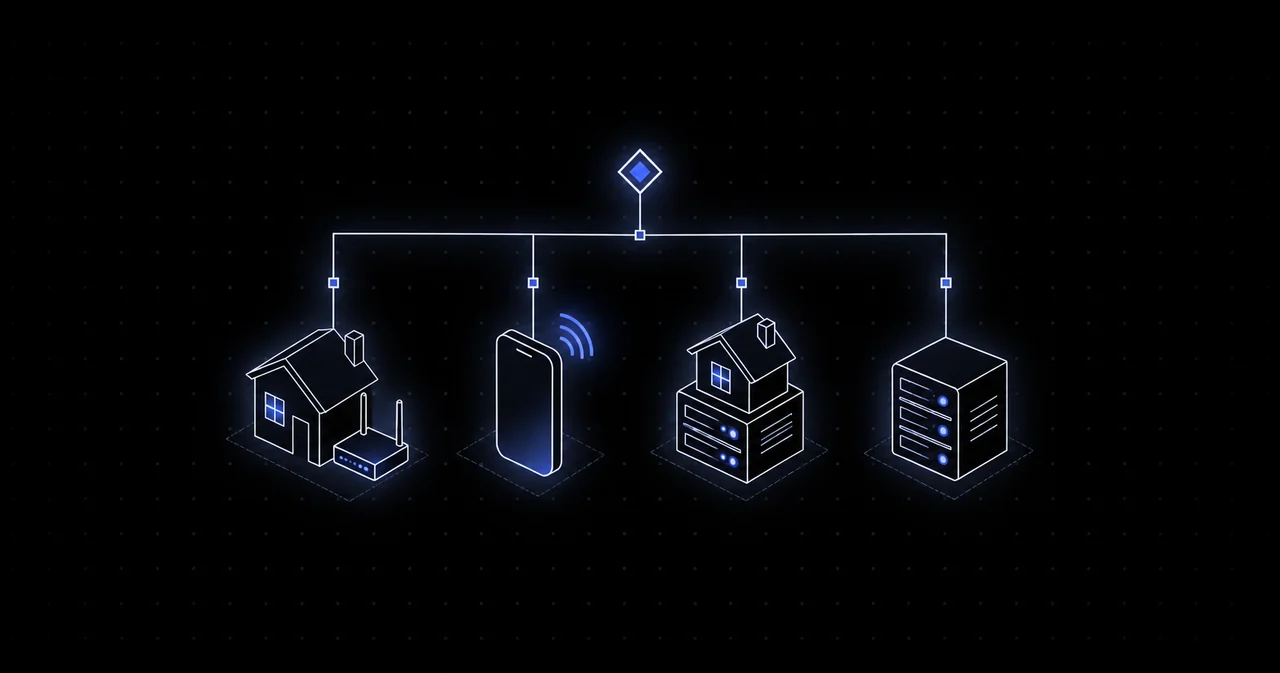
Every proxy provider sells the same four things under slightly different names. The names are marketing; the differences are real. What matters is where the IP address comes from, because that decides how a website treats traffic arriving from it, how long you can keep it, and what it costs per gigabyte.
Datacenter proxies
Where the IP comes from: a hosting provider's address block, on a server in a datacenter.
How sites see it: as a server. Every commercial bot-detection system ships with a list of datacenter address ranges, and many sites simply refuse them or challenge every request. Others, especially smaller sites and APIs, do not check at all.
Strengths: the fastest and cheapest option. A 10 Gbps backbone, no rotation overhead, unlimited concurrency. When the target does not care about IP type, nothing else makes sense.
Weaknesses: useless against Google, social networks, sneaker sites, ticketing and anything protected by Cloudflare's stricter modes or Akamai.
Nyxon price: from $0.36 per GB (IPv4), from $0.10 per GB on IPv6. 18 regions.
ISP proxies
Where the IP comes from: an address registered to a consumer internet provider (Comcast, AT&T, Deutsche Telekom and so on) but announced from datacenter hardware. Sometimes called static residential.
How sites see it: as a home connection, because the WHOIS record says so. Because it is hosted on real infrastructure rather than someone's laptop, it is fast and it does not go offline when a household turns off its router.
Strengths: the same IP for as long as you want, at datacenter speed, with residential trust. The right choice for anything account-based: managing multiple accounts, running a store, maintaining a logged-in session for weeks.
Weaknesses: smaller pools than residential, fewer countries, and since the IP is yours alone, so is its reputation. Burn it and it stays burned.
Nyxon price: shared ISP from $0.50 per GB, dedicated ISP from $3.00 per IP per 30 days.
Residential proxies
Where the IP comes from: a real home connection. The traffic literally exits through a consumer router, so the site sees a person in a house on a normal ISP.
How sites see it: as the most legitimate kind of visitor there is. This is why residential pools are the default for scraping protected targets, ad verification, price monitoring and anything where the site fights back.
Strengths: by far the largest pools (Nyxon's is 120M+ addresses in 142 countries), targeting down to country, US state, city and ASN, and rotating or sticky sessions on the same credentials.
Weaknesses: individual residential connections are slower and less stable than datacenter hardware, which is why the network rotates around bad exits for you. Sessions can be held for up to 30 minutes, not weeks.
Nyxon price: Budget pool from $0.20 per GB, premium pool from $1.20 per GB. The difference is explained in which proxy do you actually need.
Mobile proxies
Where the IP comes from: a mobile carrier's 4G or 5G network. Carriers put thousands of phones behind each public IP using carrier-grade NAT.
How sites see it: as an unusually trusted visitor. Blocking a mobile IP means blocking every phone behind it, so sites apply the loosest rules to carrier ranges. That makes mobile the last resort when residential is not enough.
Strengths: the highest trust score available, and IPs change naturally as phones move between towers, which gives you organic rotation.
Weaknesses: the most expensive per gigabyte, smaller pools (38 countries at Nyxon), and speeds that depend on radio conditions.
Nyxon price: from $1.25 per GB, Mobile USA from $1.60 per GB.
Side by side
- Trust on strict sites: mobile > residential > ISP > datacenter
- Speed and stability: datacenter > ISP > residential > mobile
- Pool size: residential > datacenter > ISP > mobile
- Session length: ISP (indefinite) > mobile (up to 24h) > residential (up to 30 min) > datacenter (indefinite but irrelevant)
- Price per GB at Nyxon: datacenter $0.36 < ISP $0.50 < residential $0.20 budget or $1.20 premium < mobile $1.25
Yes, budget residential is cheaper than datacenter at Nyxon. That is deliberate. The budget pool is shared, country-targeted only, and priced to make residential the default rather than the upgrade.
Which one should you buy?
Start with the target, not the proxy type. Open the site you need in a normal browser, then try the same page from a datacenter IP. If it loads, buy datacenter and keep your money. If it challenges you, go residential. If residential gets flagged after a few hundred requests, the site is fingerprinting more than the IP, and the fix is your tooling, not a more expensive pool. If it is a social network or a mobile app API, start with mobile.
You do not have to guess. Every Nyxon account comes with a free residential trial, and the proxy tester on the Generate page shows the exit location and latency of any string you paste. Top up from $1 when the trial runs out, pick a different pool any time, and pay only for the gigabytes you use.